How AI Is Transforming Software Delivery From Code Generation to Developer Productivity

Software delivery has always carried a hard truth: writing code is only part of the job. Teams also read old code, review changes, write tests, chase flaky builds, explain architecture, patch dependencies, and turn vague requirements into working systems.
AI is now touching every one of those steps.
The shift is not just autocomplete with better marketing. Modern AI tools use large language models, code-specific training data, retrieval systems, static analysis, and automation agents to help developers move from intent to implementation faster. The best uses are practical: generate a first draft, explain a confusing module, suggest tests, find security issues, or summarize a pull request before review.
Research so far points to a clear pattern. AI can speed up common programming tasks, especially for familiar frameworks and well-scoped work. It can also introduce new risks when developers accept suggestions without review. The future of software delivery will not be “AI writes everything.” It will be AI compresses the feedback loops around human judgment.
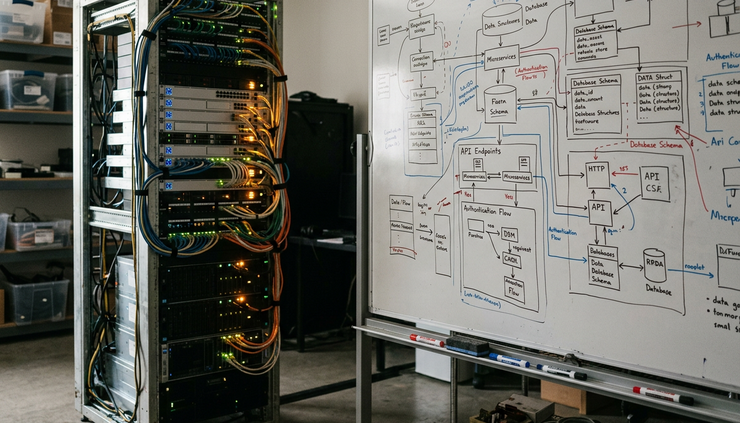
AI is changing where developer time goes
For decades, developer productivity tools focused on syntax and automation. IDEs added refactoring support. CI pipelines automated builds. Linters caught style issues. Package managers made reuse easier.
AI changes the interface. Instead of asking developers to know the exact command, API, or library call, AI lets them express intent in natural language:
“Write a function that parses this webhook payload.”
“Explain why this test fails.”
“Convert this JavaScript class to TypeScript.”
“Generate unit tests for this edge case.”
“Find a safer way to handle this SQL query.”
Tools such as GitHub Copilot, Amazon Q Developer, Google Gemini Code Assist, JetBrains AI Assistant, Cursor, Sourcegraph Cody, Tabnine, ChatGPT, and Claude all approach this in different ways. Some live inside the editor. Some connect to repositories. Some work best as chat assistants. Some search across large codebases with context from files, symbols, and documentation.
Recent research from vendors, academic groups, and developer experience teams suggests that AI coding assistants can reduce time on contained programming tasks. The gains tend to be strongest when:
The task has a clear goal.
The codebase uses common languages and frameworks.
The developer can quickly judge whether the output is correct.
The AI has enough context from surrounding files or docs.
The picture gets more complicated in larger systems. Software delivery usually fails at the seams: unclear requirements, hidden dependencies, messy test environments, and production behavior that does not match local assumptions. AI helps, but it does not erase those problems. In some cases, it can make them easier to overlook because generated code arrives with confidence, even when it is incomplete.
That means developer productivity is shifting from typing speed to review skill, system knowledge, and prompt clarity. The valuable question is no longer “Can the model write code?” It is “Can the team use the model without weakening quality?”
Code generation works because models learn structure, not just words
Most modern code assistants rely on transformer-based models. Transformers use an attention mechanism to weigh relationships between tokens. In code, tokens can be keywords, identifiers, operators, indentation patterns, comments, or fragments of natural language.
This matters because code has rich structure. A model can learn that a function named `getUserById` often takes an ID, calls a data layer, handles missing records, and returns a user object or an error. It can also learn common test patterns, framework conventions, and idioms across languages.
At a high level, code generation often works like this:
The tool collects context from the editor, selected files, open tabs, comments, function names, and sometimes repository search.
The model converts text into embeddings, which are numeric representations of meaning and structure.
The transformer predicts likely next tokens based on context and training.
The system may filter, rank, or rewrite the answer.
The developer reviews the output and accepts, edits, or rejects it.
The strongest tools add retrieval to that loop. Retrieval-augmented generation, often called RAG, searches project files, docs, tickets, or API references and feeds relevant snippets into the model. This reduces guesswork. For example, Sourcegraph Cody can use code search context across repositories, while Cursor can index a local project and answer questions about specific files.
Some tools also combine AI with deterministic analysis. A language server can identify symbols and types. A static analyzer can flag unsafe patterns. A test runner can prove whether generated code passes. This blend is powerful because language models are probabilistic, while compilers, tests, and analyzers provide hard feedback.
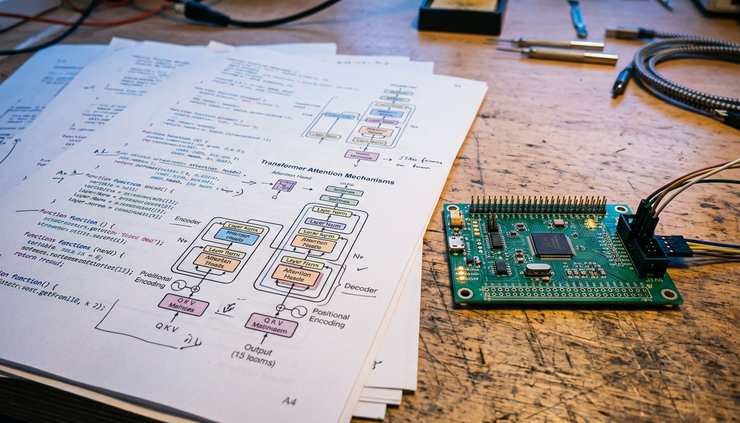
Here is how the main AI approaches show up in software delivery:
AI technique | How it helps software teams | Common limitation |
Transformer code models | Generate functions, tests, refactors, and explanations | May produce plausible but wrong code |
Embeddings | Find similar code, docs, bugs, or patterns | Quality depends on indexing and context |
RAG | Grounds answers in project-specific files and docs | Can retrieve irrelevant or stale context |
Agent workflows | Break larger tasks into steps and call tools | Needs guardrails and human review |
Static analysis plus AI | Explains issues and suggests fixes | Still requires policy and tuning |
Test generation | Creates unit, integration, or property-based tests | May miss the real business risk |
AI code generation is most useful when paired with verification. A generated parser is helpful. A generated parser with tests, schema validation, and clear error handling is much more useful.
AI is spreading across the delivery pipeline
The most visible use case is code completion, but AI is moving through the entire software development life cycle.
Requirements become clearer faster
AI can turn rough notes into user stories, acceptance criteria, sequence diagrams, and API sketches. Product and engineering teams can ask a model to identify ambiguity:
What happens when the payment fails?
Should the API be idempotent?
What permissions are needed?
Which edge cases are missing?
This does not replace product judgment. It gives teams a faster way to expose gaps before implementation starts.
Code review gets another layer
AI-assisted review tools can summarize pull requests, explain risky changes, and suggest improvements. GitHub Copilot for pull requests, GitLab Duo, Amazon Q Developer, and similar tools can help reviewers focus on the parts that matter.
The best review use case is not “approve this PR.” It is:
Summarize the intent of the change.
Identify files with security-sensitive behavior.
Flag missing tests.
Explain unusual control flow.
Compare the change with project conventions.
Human reviewers still need to own correctness, maintainability, and business fit. AI can reduce review fatigue by making large changes easier to parse.
Testing becomes more targeted
AI can generate unit tests from code, test cases from requirements, and mock data from schemas. Tools such as Diffblue Cover for Java, as well as AI features inside IDEs and assistants, can reduce the blank-page problem of test creation.
Models can also help write property-based tests. Instead of checking only one example, a property-based test defines behavior across many inputs. For example, a function that serializes and deserializes data should return the original object for valid inputs. AI can suggest those properties, then a test framework can do the mechanical work.
The risk is shallow tests that mirror the implementation rather than challenge it. Teams should ask AI for boundary cases, failure modes, and regression tests based on past bugs.
Operations get clearer signals
AI tools can summarize logs, cluster similar incidents, and suggest likely causes from traces and deployment history. In observability platforms, machine learning can detect anomalies in latency, error rates, or resource use.
Traditional anomaly detection might use statistical baselines, time-series models, or clustering. Newer systems can add language models to explain the signal in plain language:
“Errors increased after the last deployment.”
“The failures are concentrated in one region.”
“The stack traces point to a null value in the authentication path.”
That saves time during incident response, but it should not turn into blind trust. Production systems need careful rollback plans, alert tuning, and post-incident review.

The productivity gains are real, but uneven
The strongest evidence for AI-assisted development shows gains in speed and developer flow for specific tasks. Controlled studies and field research around coding assistants have found that many developers complete certain tasks faster and report less friction when using AI help.
At the same time, research also shows that AI output can create hidden costs. Developers may spend time validating suggestions, fixing subtle bugs, or untangling code that looks clean but fails under real constraints. Less experienced developers may accept suggestions more readily, even when the model invents an API or misses security concerns.
This creates a more useful way to think about productivity:
Old productivity measure | Better AI-era measure |
Lines of code written | Correct change delivered safely |
Tasks completed | Cycle time with quality |
Prompt response accepted | Suggestion verified by tests and review |
Developer activity | Developer attention spent on valuable problems |
The point of AI in delivery is not to make every developer produce more code. Many systems already have too much code. The point is to reduce low-value friction:
Searching for the right file.
Rewriting boilerplate.
Translating between formats.
Explaining unfamiliar modules.
Writing repetitive tests.
Updating dependencies.
Summarizing long discussions.
Preparing migration scripts.
When those tasks shrink, developers can spend more time on architecture, reliability, security, and user problems.
Developers will need new skills and new guardrails
AI does not remove the need for programming skill. It changes which skills compound.
Developers will need to get better at framing work. A vague prompt such as “fix this bug” may produce noise. A better prompt includes the observed behavior, expected behavior, stack trace, relevant files, and constraints.
They will also need stronger review habits. AI can generate code faster than teams can safely merge it. That makes automated checks more important:
Type checking.
Unit and integration tests.
Security scanning.
Dependency checks.
Formatting and linting.
Policy checks for secrets and licenses.
Runtime monitoring after release.
Security deserves special attention. AI can suggest insecure patterns if the context points that way or if the model falls back on common but unsafe examples. CodeQL, Semgrep, Snyk, Dependabot, Renovate, and similar tools can help catch issues before release. AI can explain findings and propose patches, but teams still need clear rules for what gets merged.
There are also legal and data concerns. Organizations need policies for what code can be sent to external models, how training data is handled, and whether generated output creates license risk. Many enterprise tools now offer privacy controls, tenant isolation, or local indexing, but teams should verify those claims before sending sensitive code.
The next stage is agentic development, where AI systems plan steps, edit files, run tests, inspect errors, and try again. Early versions already exist in coding agents and IDE workflows. These systems can be useful for small, bounded changes. For broad changes across a complex codebase, they need tight limits, review gates, and strong test coverage.
The future of software delivery is human led and AI assisted
AI will change software roles, but it is unlikely to flatten them into one generic “prompt engineer” job. Systems still need people who understand trade-offs, architecture, domain rules, reliability, cost, security, and user behavior.
What will change is the baseline. Developers will expect their tools to know the repository, explain unfamiliar code, generate test scaffolds, and help with migrations. Reviewers will expect automatic summaries. On-call engineers will expect incident context. New developers will onboard by asking questions directly against the codebase.
The software industry will also see new delivery patterns:
Smaller teams building larger systems because less time goes to boilerplate.
More code migration work, as AI lowers the cost of language and framework updates.
More generated tests, docs, and internal tools.
More pressure on teams to measure quality, not just speed.
More demand for engineers who can supervise AI output well.
The winners will not be the teams that accept the most AI suggestions. They will be the teams that build a delivery system where AI output is checked quickly, corrected easily, and connected to real engineering standards.
How AI Is Transforming Software Delivery From Code Generation to Developer Productivity comes down to a simple shift: AI is becoming a working layer between intent and execution. It drafts, searches, explains, tests, and monitors. Developers still decide what should exist, why it matters, and whether it is safe to ship.
The best next step is practical. Pick one painful part of the delivery process, such as test creation, code review summaries, or legacy code explanation. Add AI there first. Measure cycle time, defect rates, review quality, and developer experience. Keep what helps. Cut what creates noise. That is how AI becomes more than a demo and starts improving the way software gets delivered.
Comments